iOS
Open your address in Safari. Share → Add to Home Screen → Add. Launch the Home Screen app to enable push notifications.
iPhone instructionsYOUR AGENTS. YOUR MACHINE. ANYWHERE.
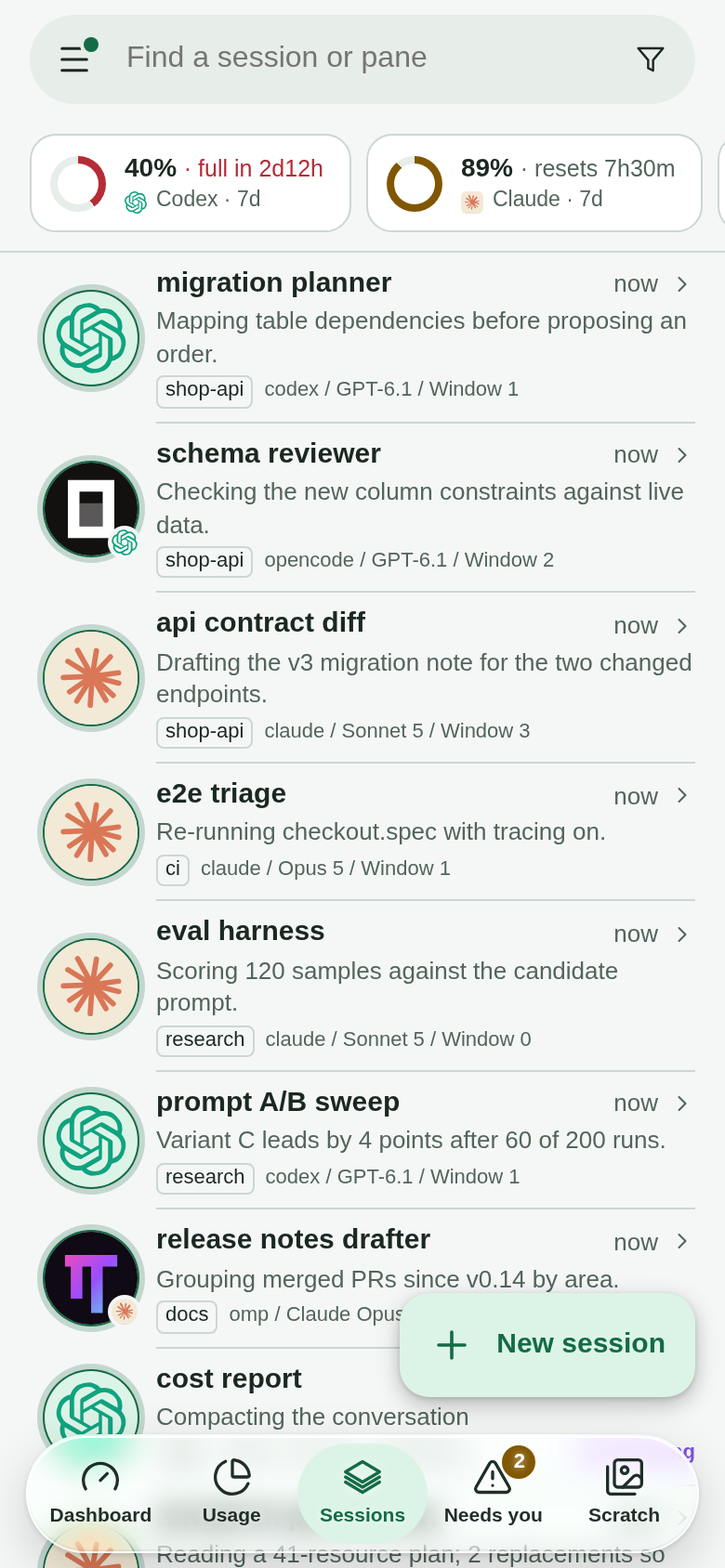
Desktop or phone. Chat, talk, point, or tap.
See what your agents are doing and step in when they need you.
Claude Code · Codex · Gemini CLI · OpenCode · omp
GET STARTED
Run the daemon where your agents live, connect your devices, and open the client.
Keep your tmux sessions running. With uv and tmux installed, start the daemon:
TMUXRC_NO_LLM=1 uvx --from git+https://github.com/querystory/tmux-rc.git tmux-rcThis quick start uses basic status detection without model credentials. Enable model summaries for the richer dashboard; configure Live Mode for chat and voice.
Install and sign in to Tailscale on the host and your devices. Before exposing the daemon, review your tailnet ACLs: every permitted member can read pane data and control terminals. Then run on the host:
tailscale serve --bg http://127.0.0.1:18030Open the HTTPS address printed by Tailscale. Keep the daemon on loopback, on a machine only you use: loopback does not keep out other accounts on the same host. It has no built-in login; Serve access follows your tailnet ACLs, so restrict access to trusted operators, especially on shared tailnets.
The client comes with the daemon. Visit your remote HTTPS address in a browser on desktop or phone. Locally, open http://127.0.0.1:18030
Open your address in Safari. Share → Add to Home Screen → Add. Launch the Home Screen app to enable push notifications.
iPhone instructionsOpen your address in Chrome. Menu → Install and create shortcut → Install. Launch tmux-rc and allow notifications.
Android instructionsUse your browser, or install the web app from the browser's address bar or menu. The dashboard adapts to a wide screen.
Desktop instructions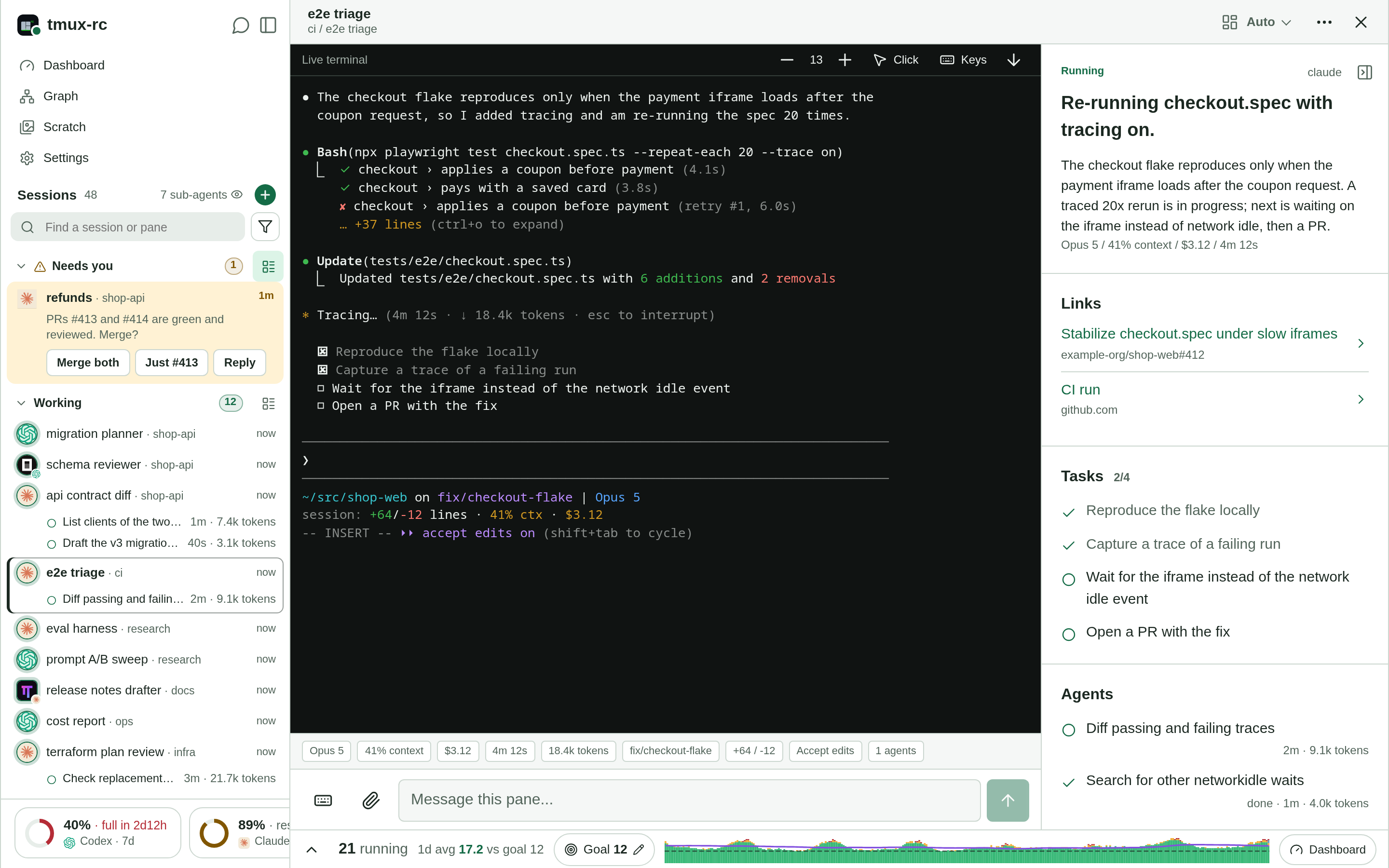
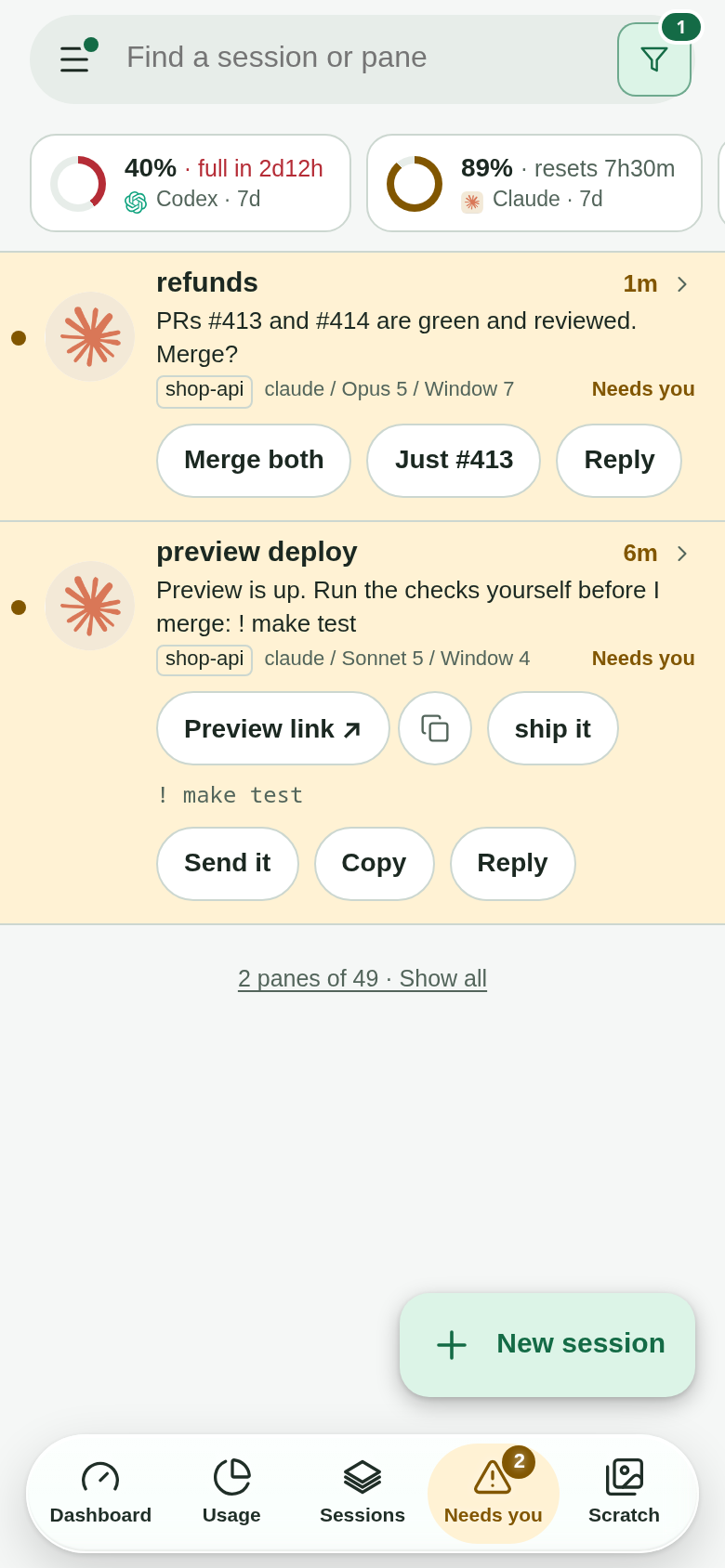
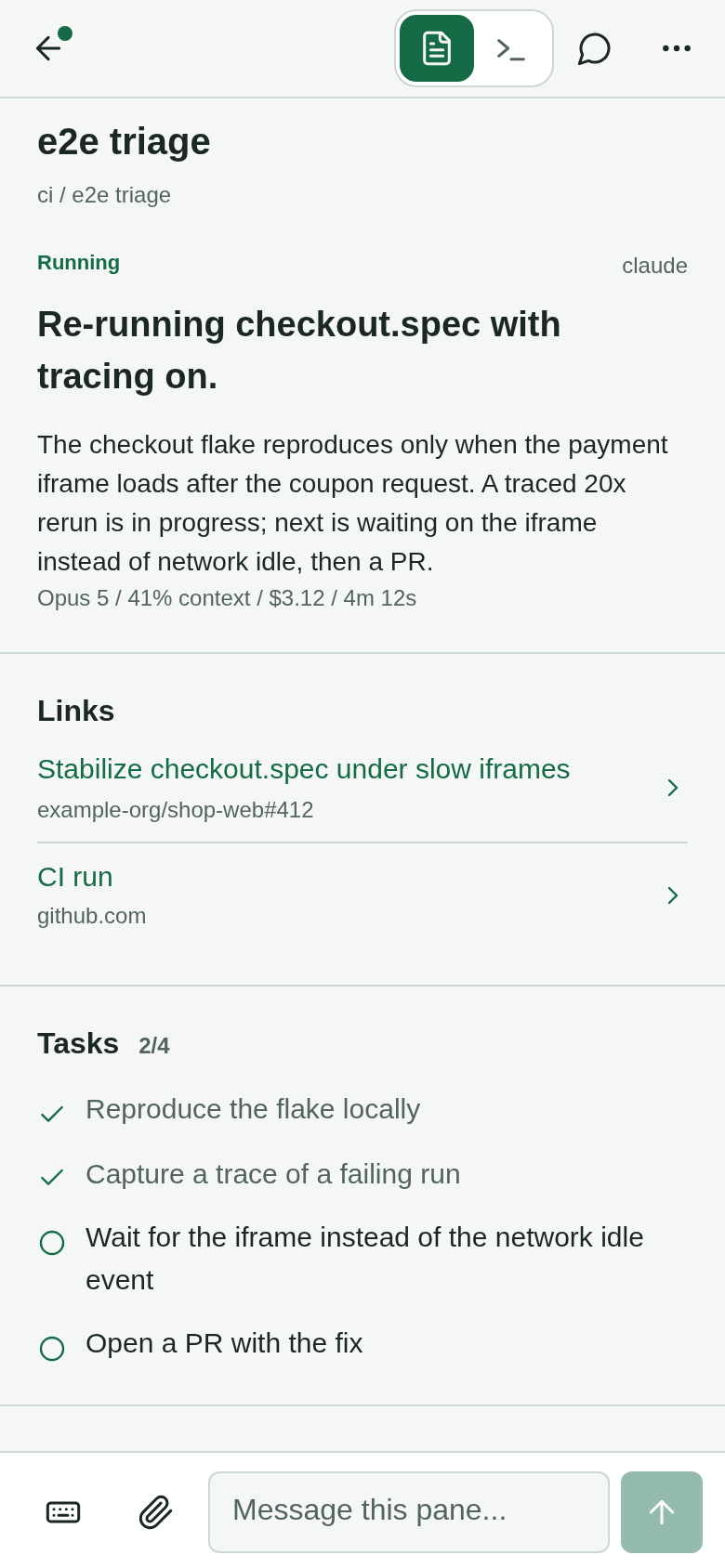
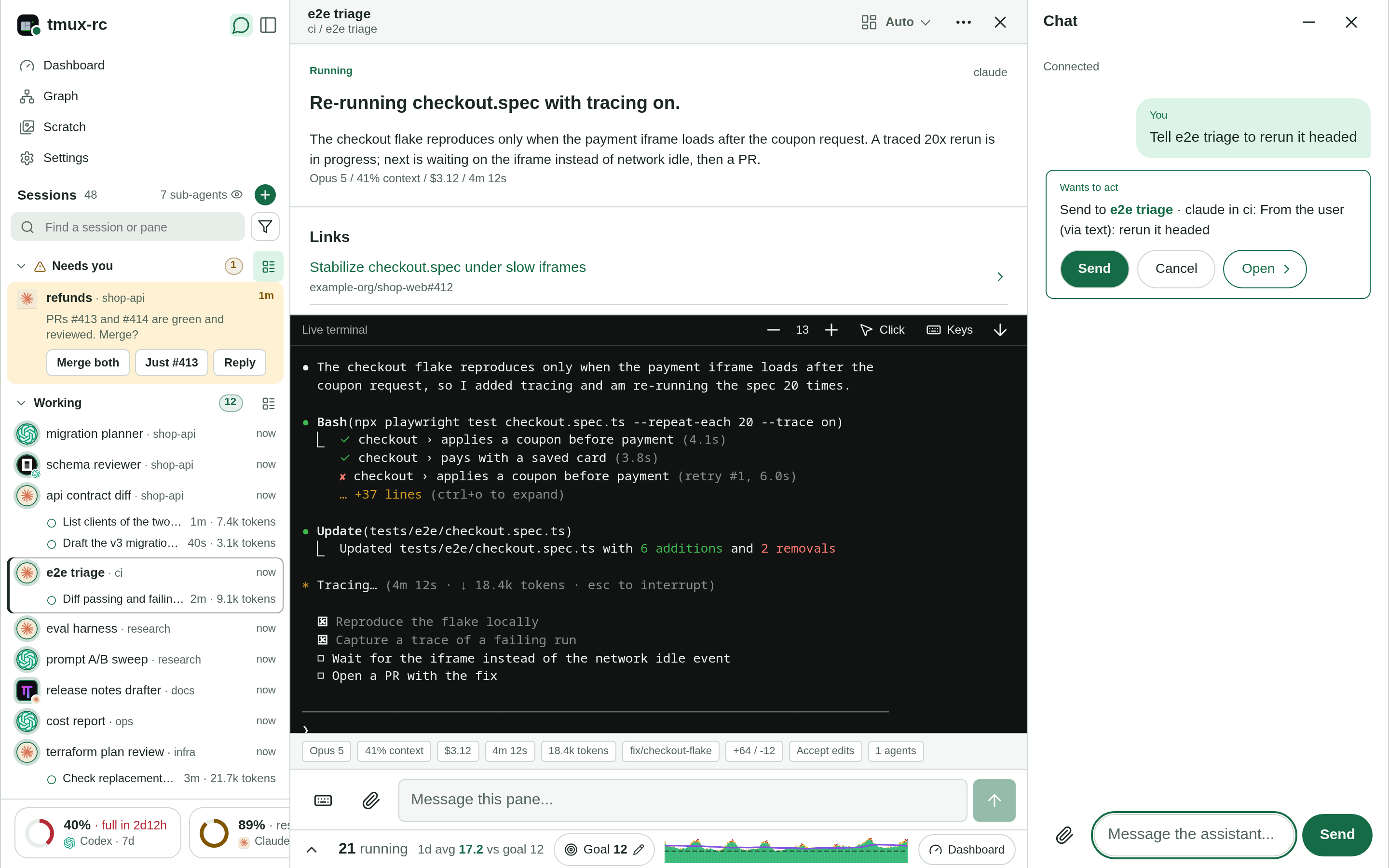
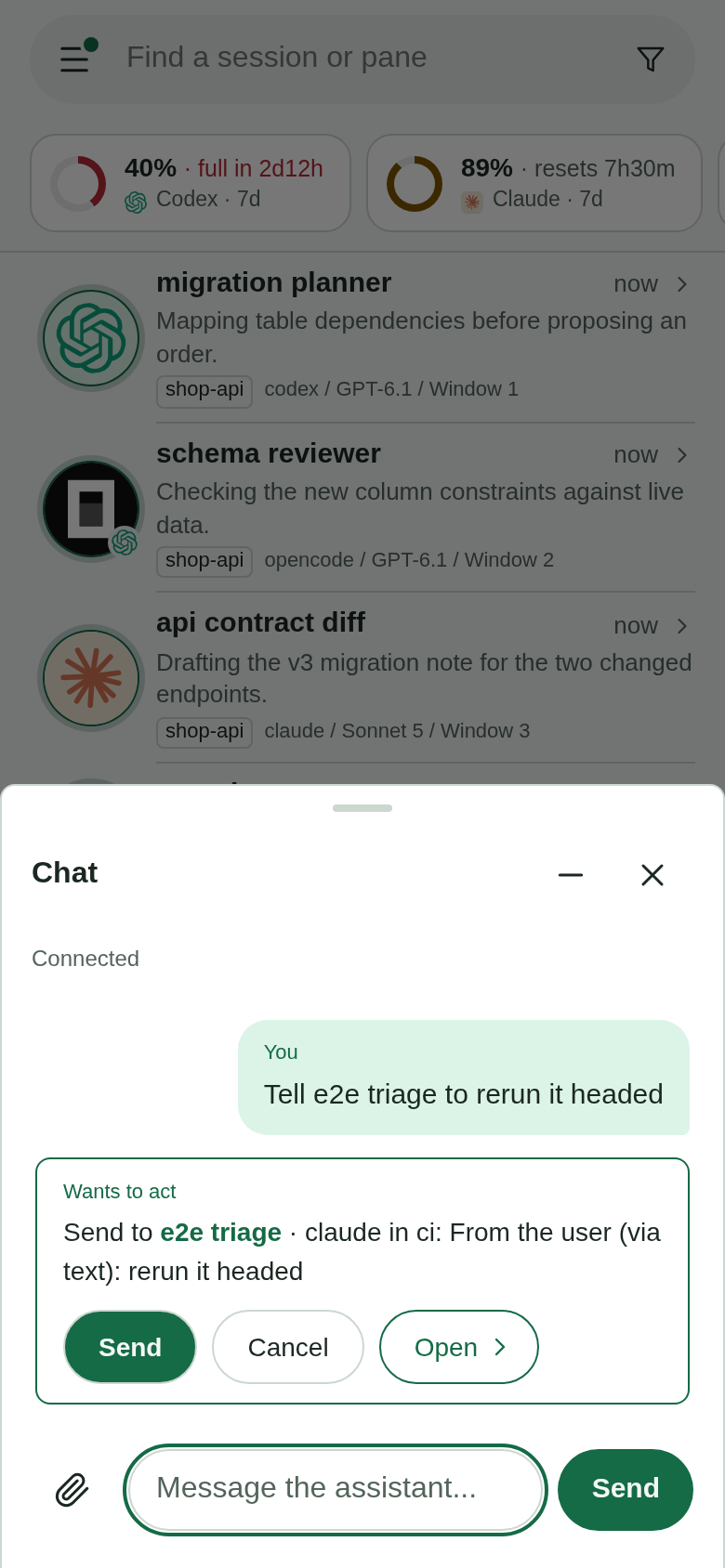
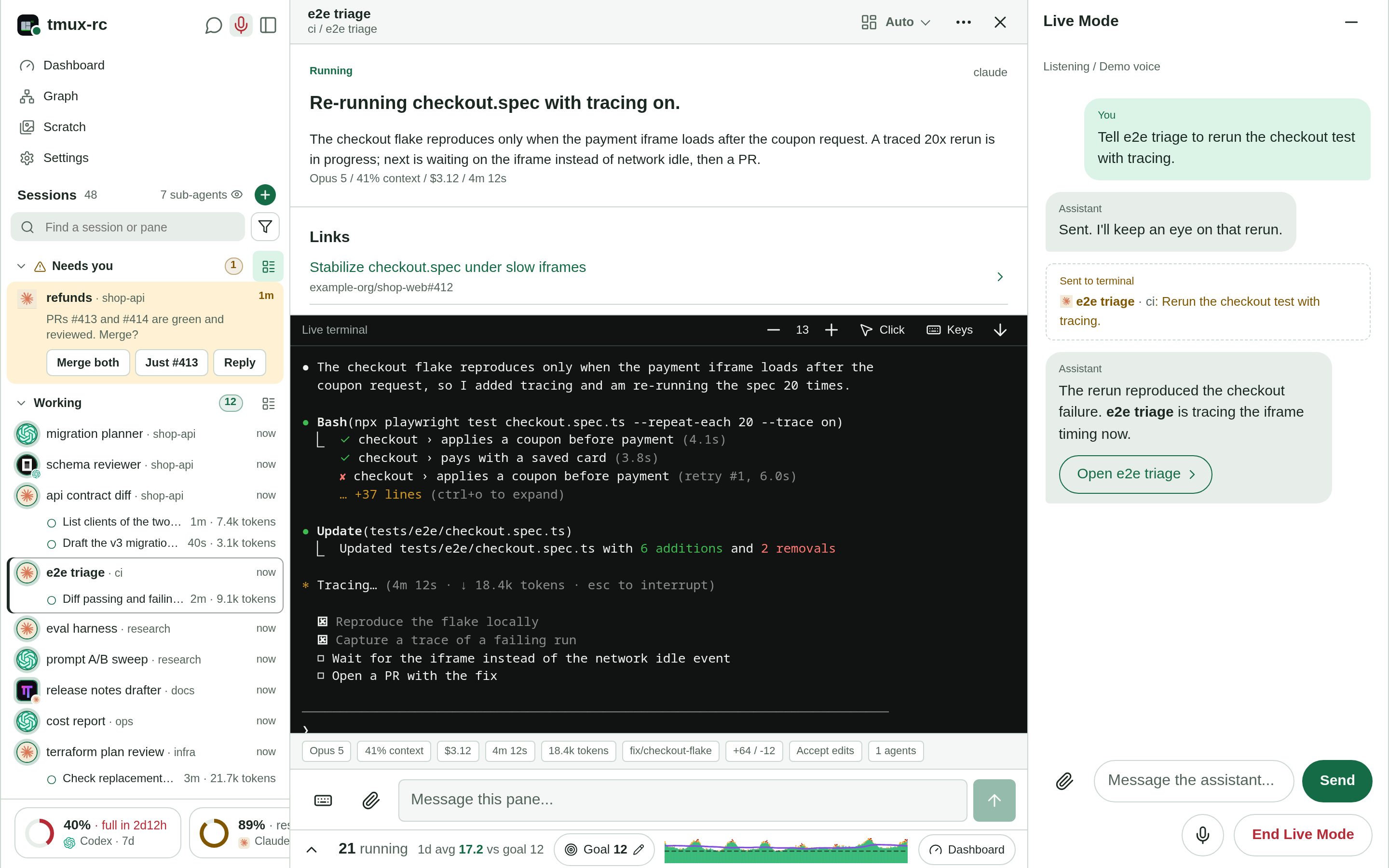
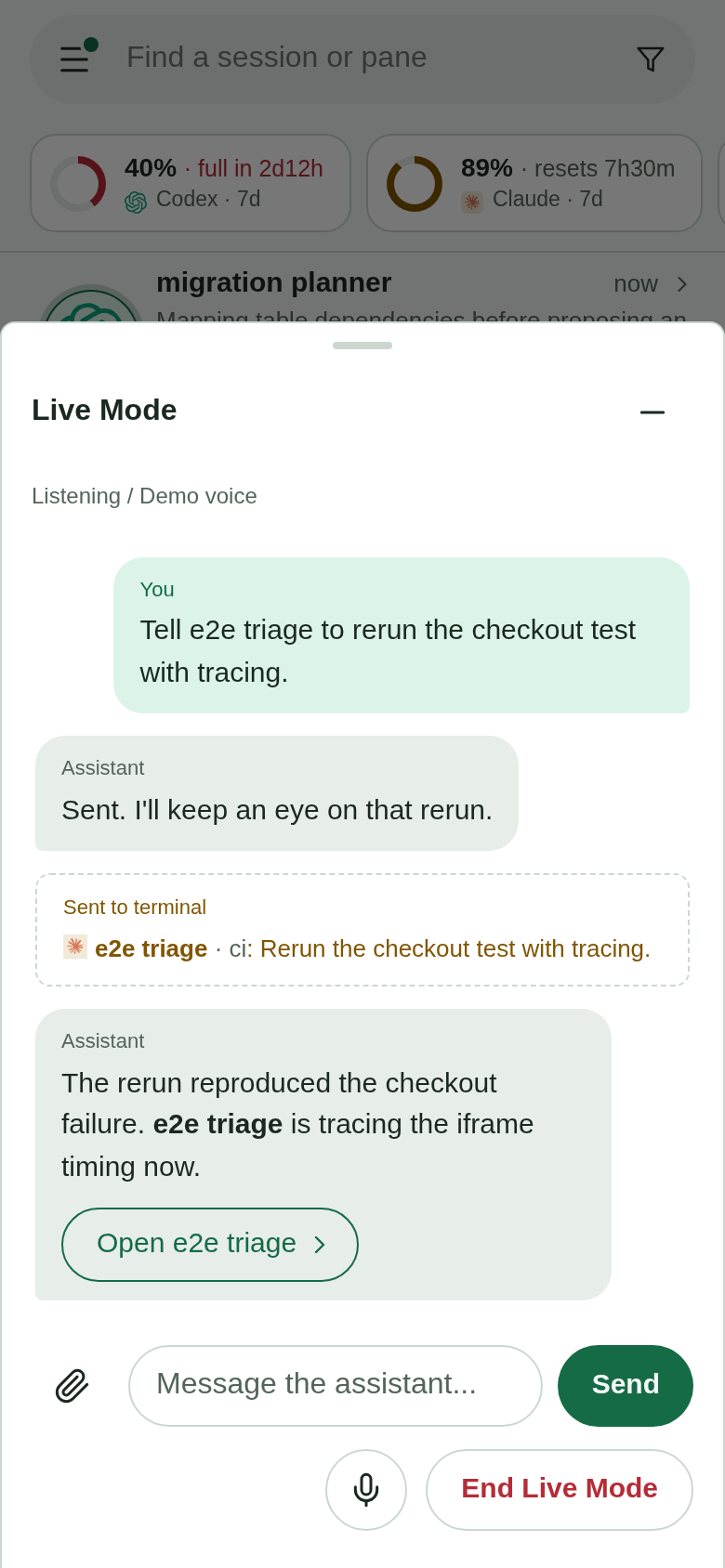
Current UI, fictional demo fleet. Your sessions stay on your host.
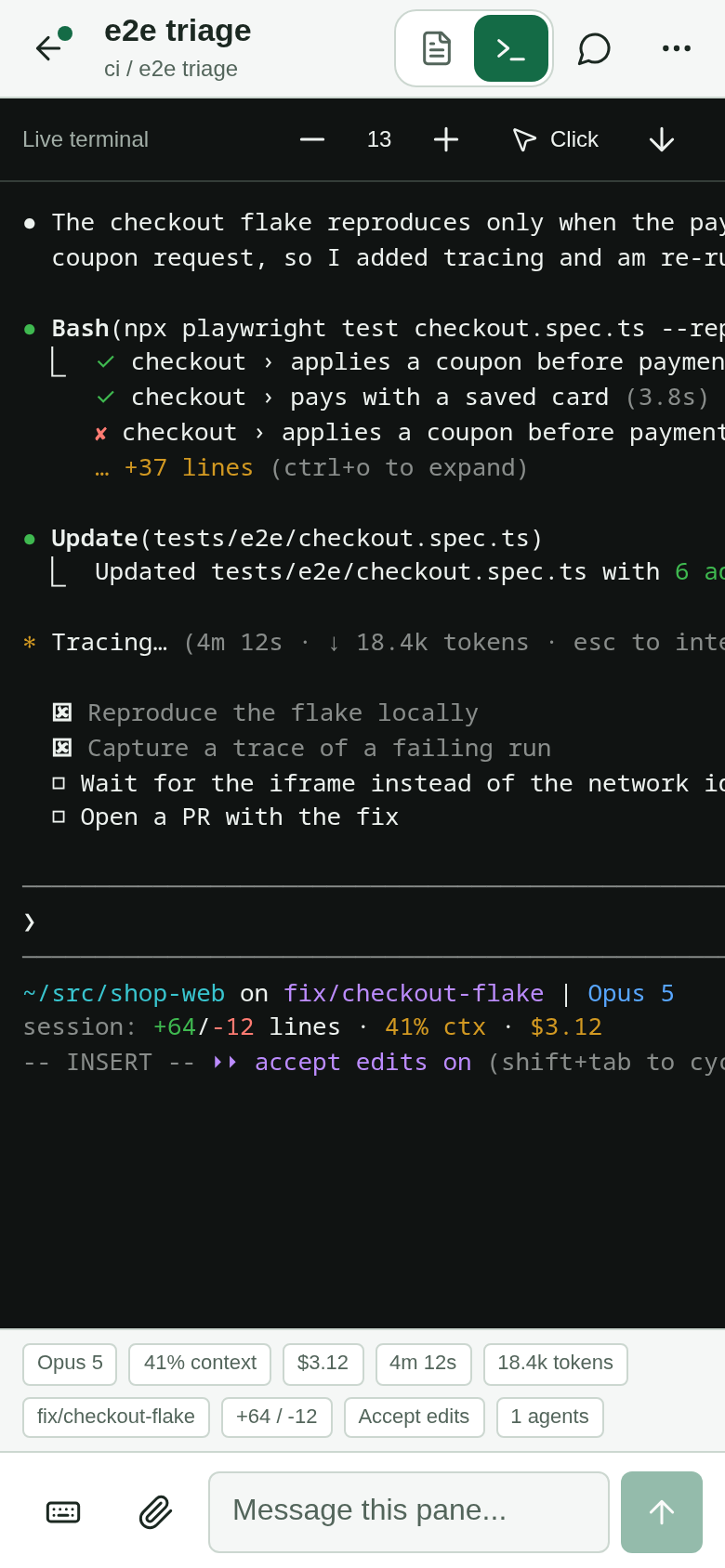
Every pane, any agent, from your phone or browser: the live terminal, tappable answers, and the keys a phone keyboard lacks. A notification when an agent is waiting on you.
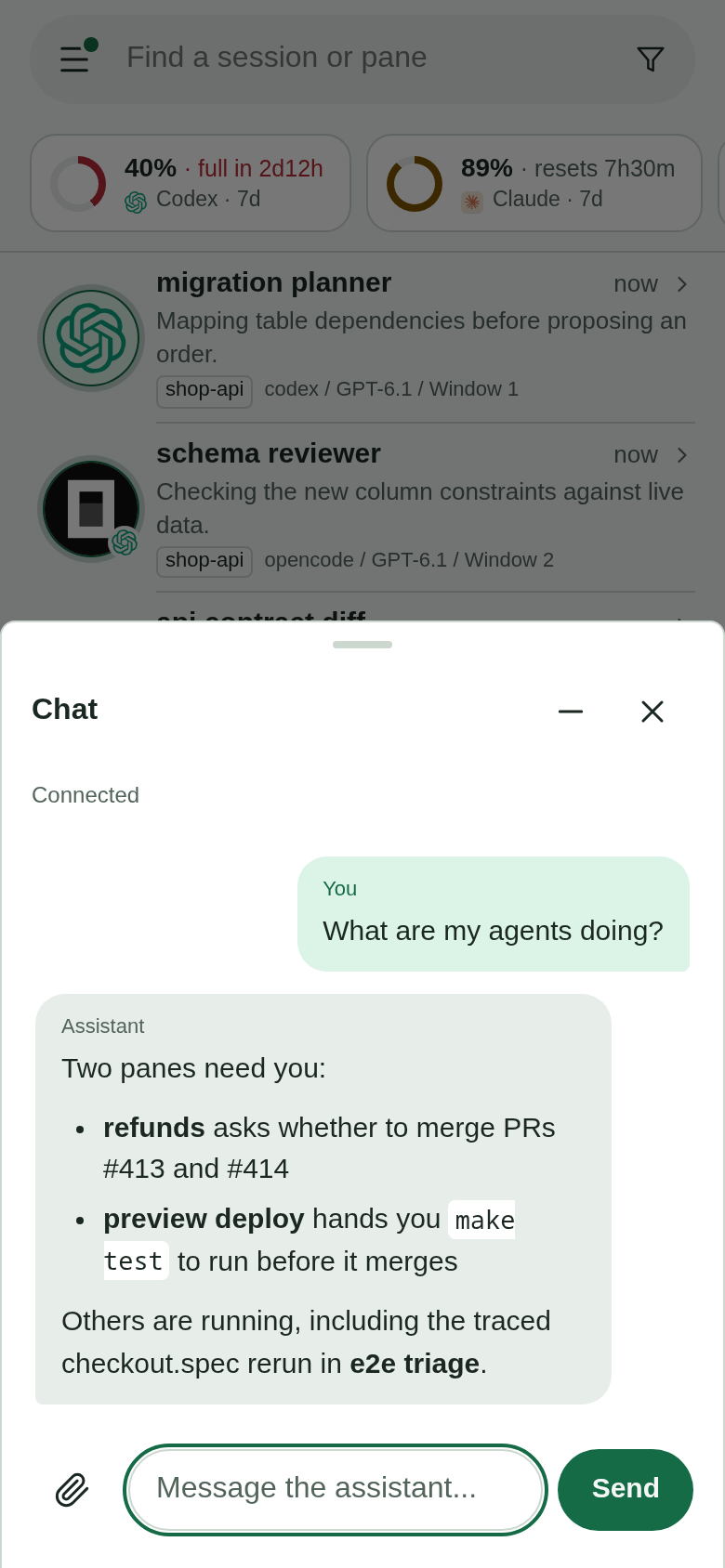
A plain-English summary of every pane. Ask in chat or by voice, relay an instruction or an image, and hear back as the work moves.
Sessions, windows, splits and names come back, and each agent resumes its own conversation. One tap.
SEE THE WORK UNDER THE WORK
A busy parent can have several workers underneath it. See their tasks, running state, elapsed time, and reported token counts in the sidebar without opening each terminal.
MAKE ROOM BEFORE YOU RUN OUT
Running a fleet can use a subscription window fast. Claude and Codex meters show how much you’ve used, when each window resets, and where your current pace is heading.
Projections estimate your current pace; they don’t guarantee how much work remains.
How usage tracking works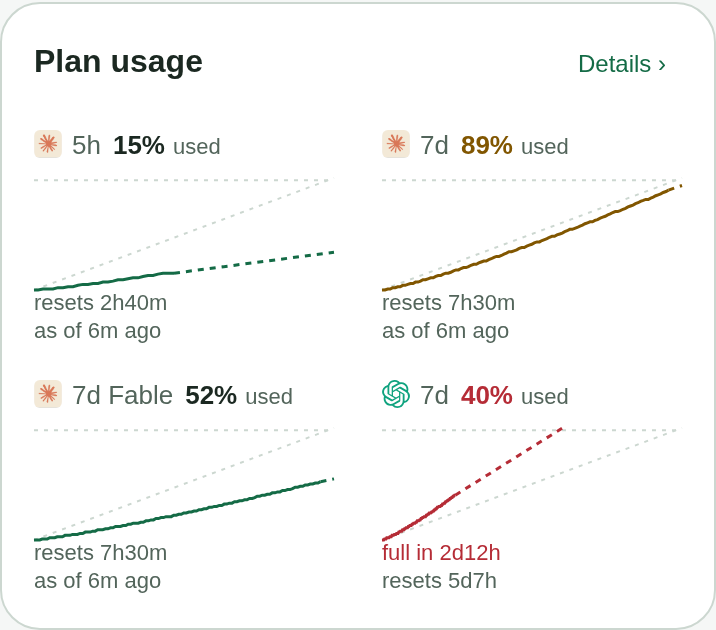
KEEP YOUR FLEET MOVING
The dashboard shows how many panes and background agents are working, idle, compacting, waiting, or asking for you. Set a running-agent goal and compare it with the moving average.
Activity counts show agent states, not token throughput or CPU utilization.
How activity history works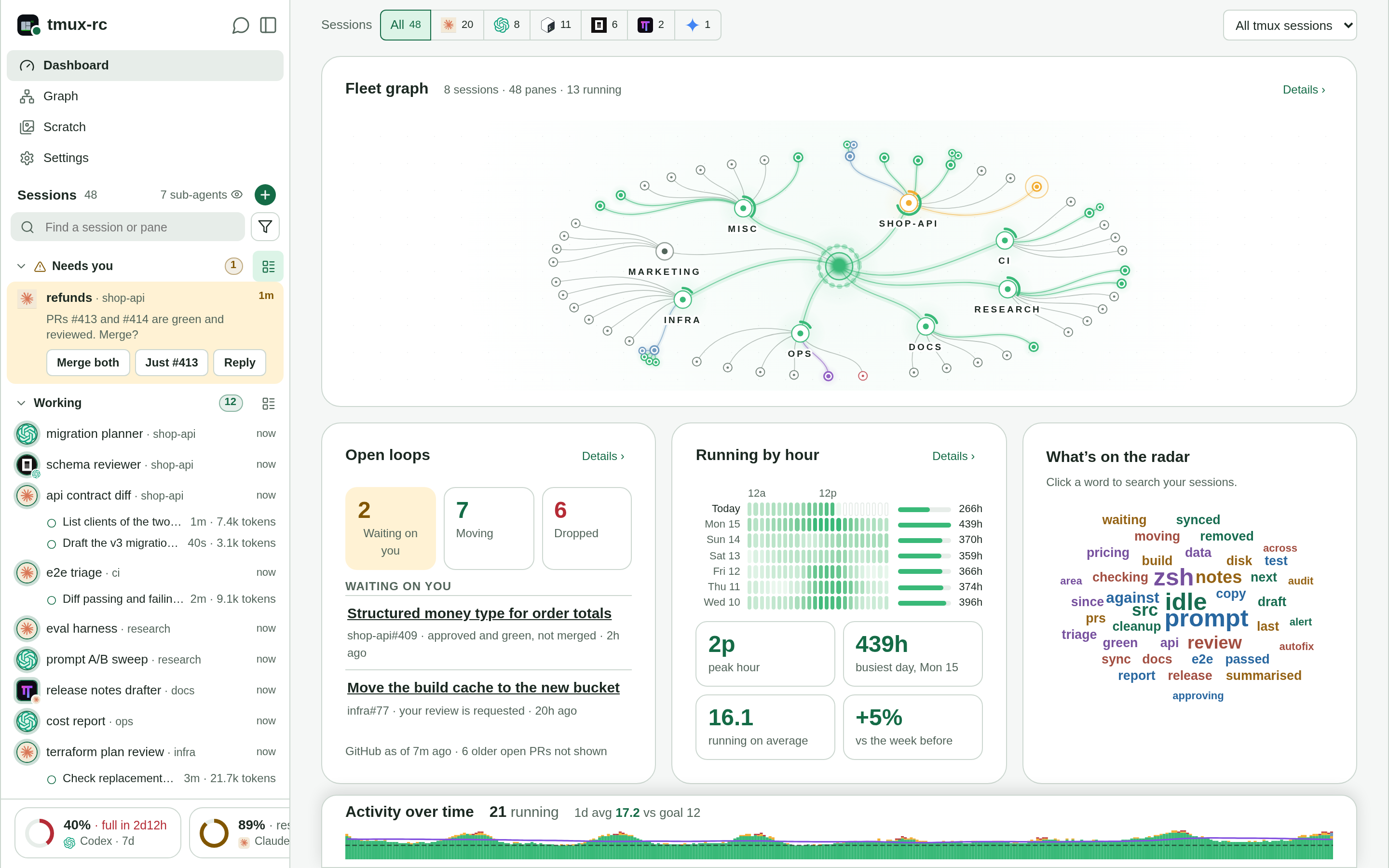
A MAP OF YOUR WHOLE FLEET
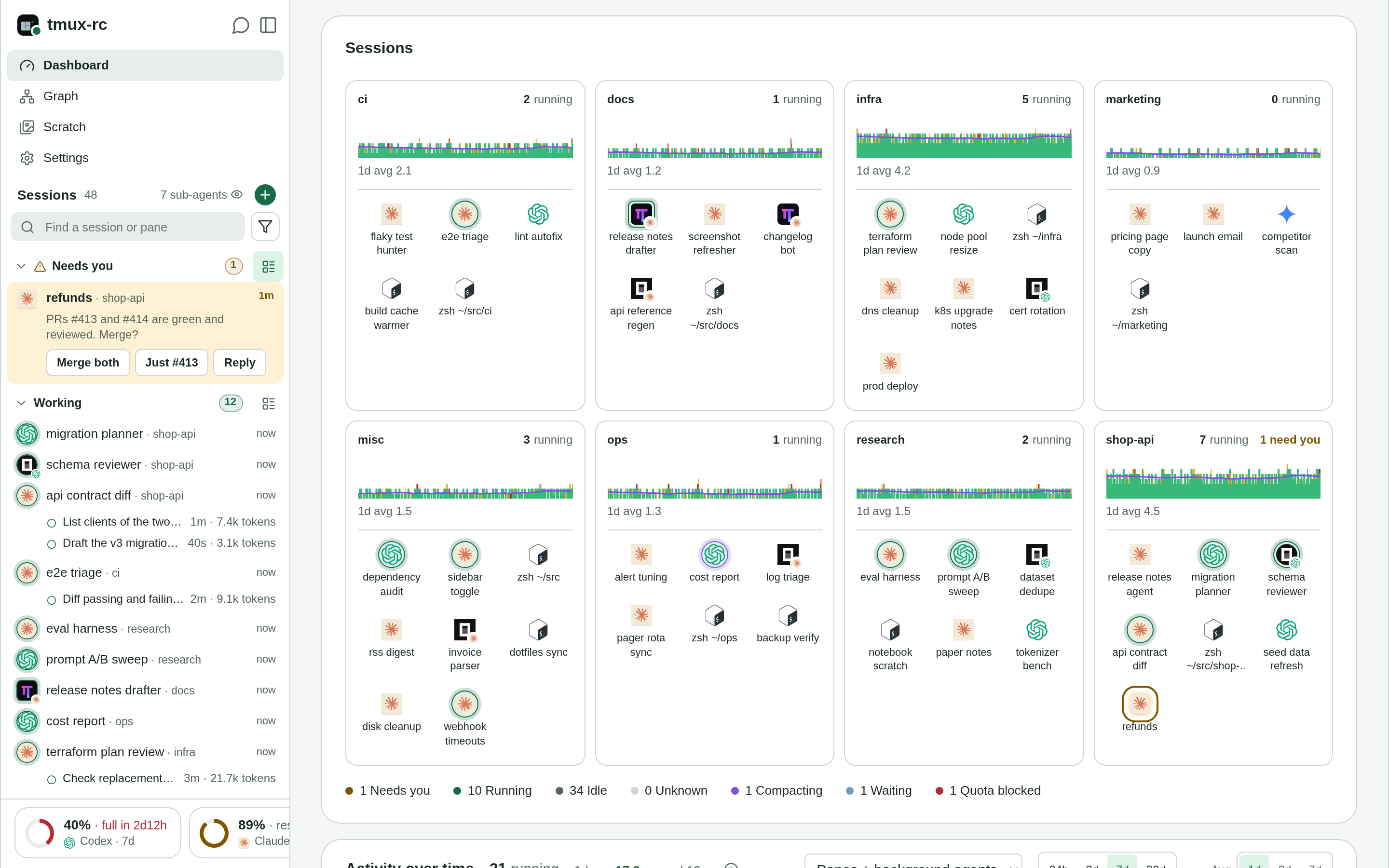
The Sessions card gives each tmux session a card of its own: how many of its panes are running, its activity over the past week, and a tile for every pane with its agent and title. A ring marks each pane that’s working, so you can spot what’s moving and what needs you across a large fleet.
TALK, THEN KEEP GOING
Use text chat or an active voice session from desktop or phone. Ask what your agents are doing, relay an instruction, and hear a follow-up when the work you directed changes.
Chat offers pane-changing actions for approval. Voice follows your spoken instructions and reports back; routine fleet updates stay quiet.
Voice and chat setupAFTER A REBOOT
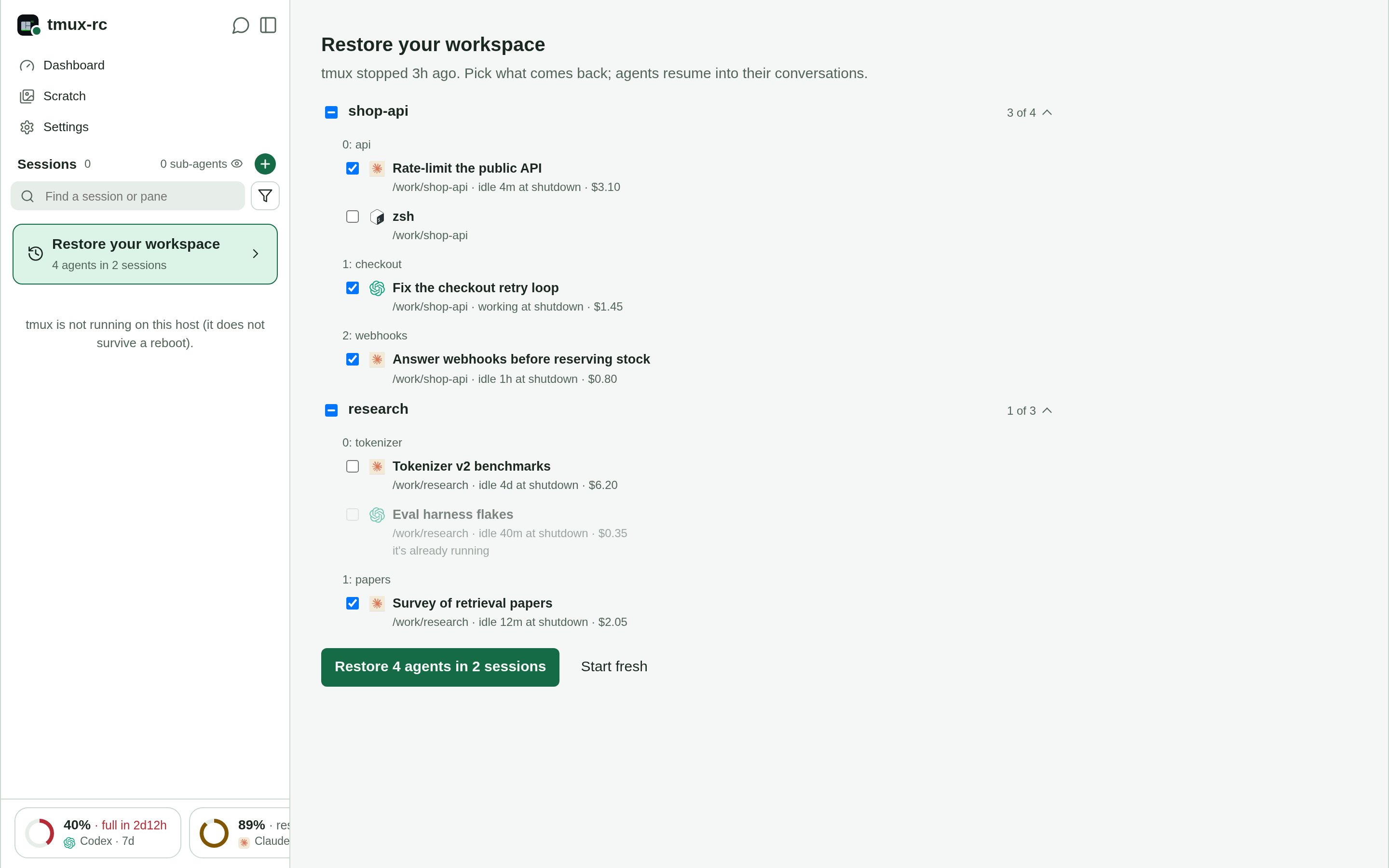
A reboot takes every tmux session with it. tmux-rc records the layout once a minute and which conversation each agent holds, then offers the lost workspace back: every session, window and split where it was, each agent resumed into its own conversation on the account it ran on.
GO DEEPER
Setup, remote access, architecture, and the decisions behind the project.